
Oopbuy buying guide: from a product link to delivery
The official eleven-stage sequence, with matching screens and the decisions each stage needs.
These screens follow the official Tutorial in its published order. The interface dates from 2024; figures and promotions are historical examples. Some images are privacy-redacted renditions. Current controls may differ. Open the official tutorial.
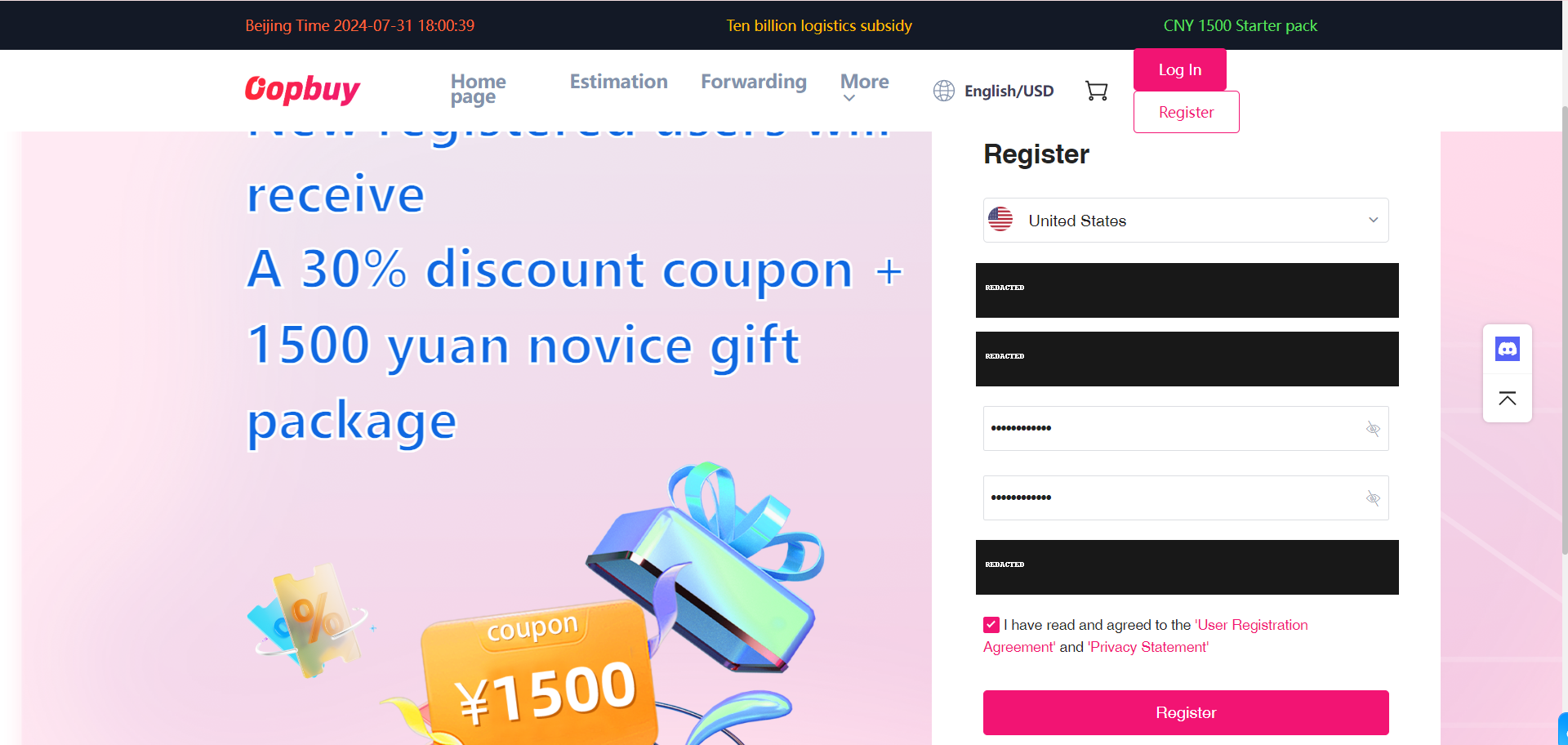
Create your account
Register on the official service and keep control of the email and login details. This catalogue does not create an account or handle money for you. Review account settings before saving delivery information.
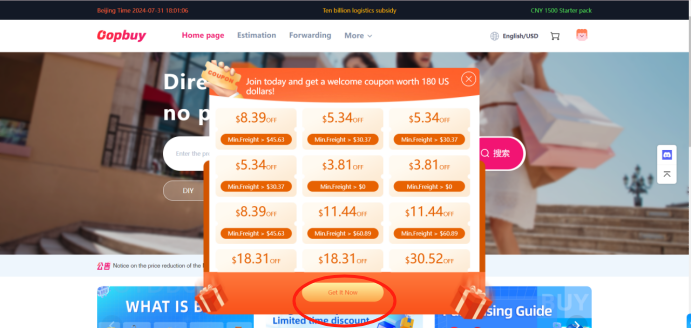
Check available coupons
The tutorial next shows its coupon centre. Read the discount type, minimum spend, eligible line and expiry before relying on any offer. A shipping coupon usually cannot reduce the item bill. The old coupon values in these images are examples, not an offer from this site.
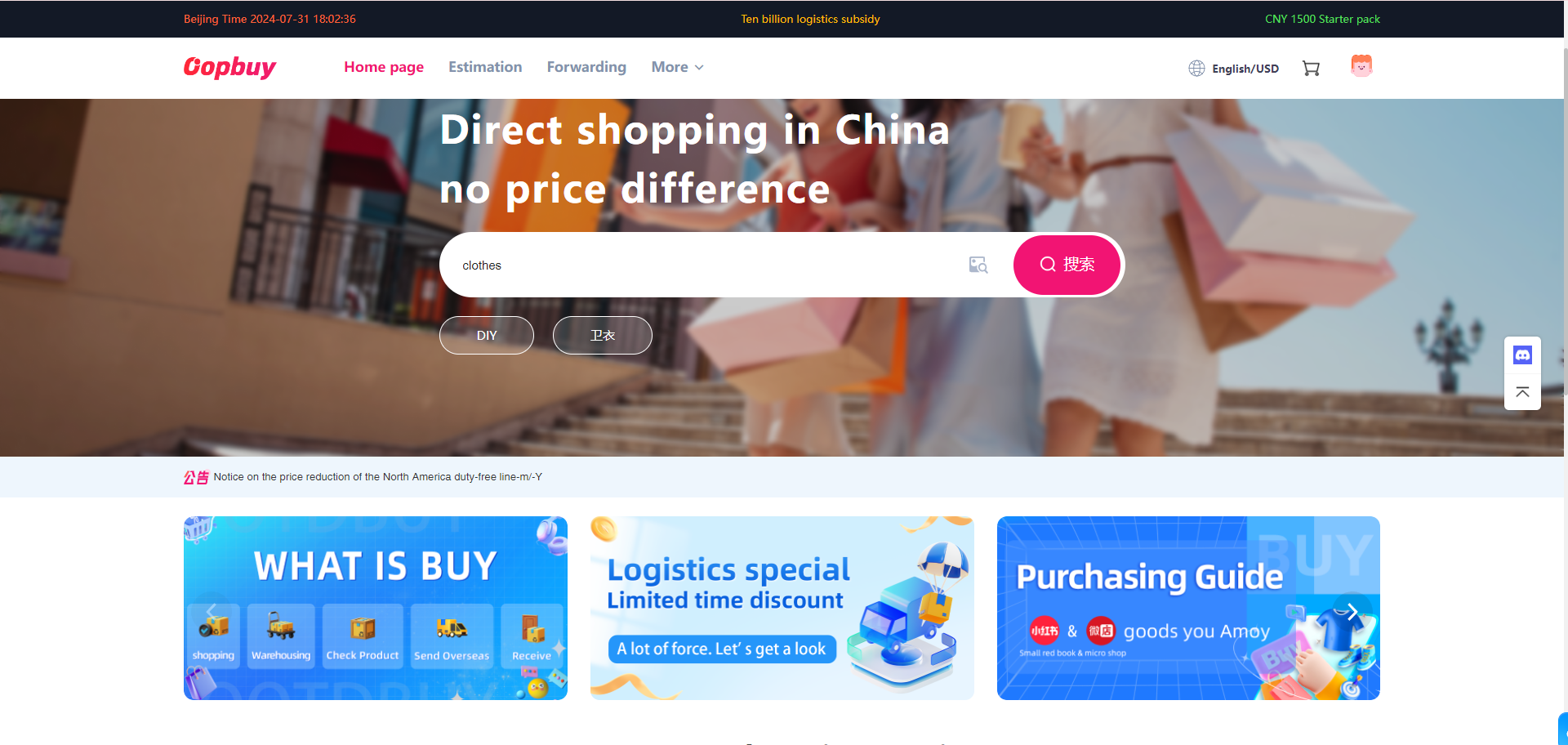
Find the product on Oopbuy
Copy the original seller URL from your shortlist into Oopbuy search. Confirm the resulting seller and product match. Keywords can return similar-looking goods from different sellers. If a URL is not recognised, ask whether a manual order is supported; do not assume any shop can be purchased.
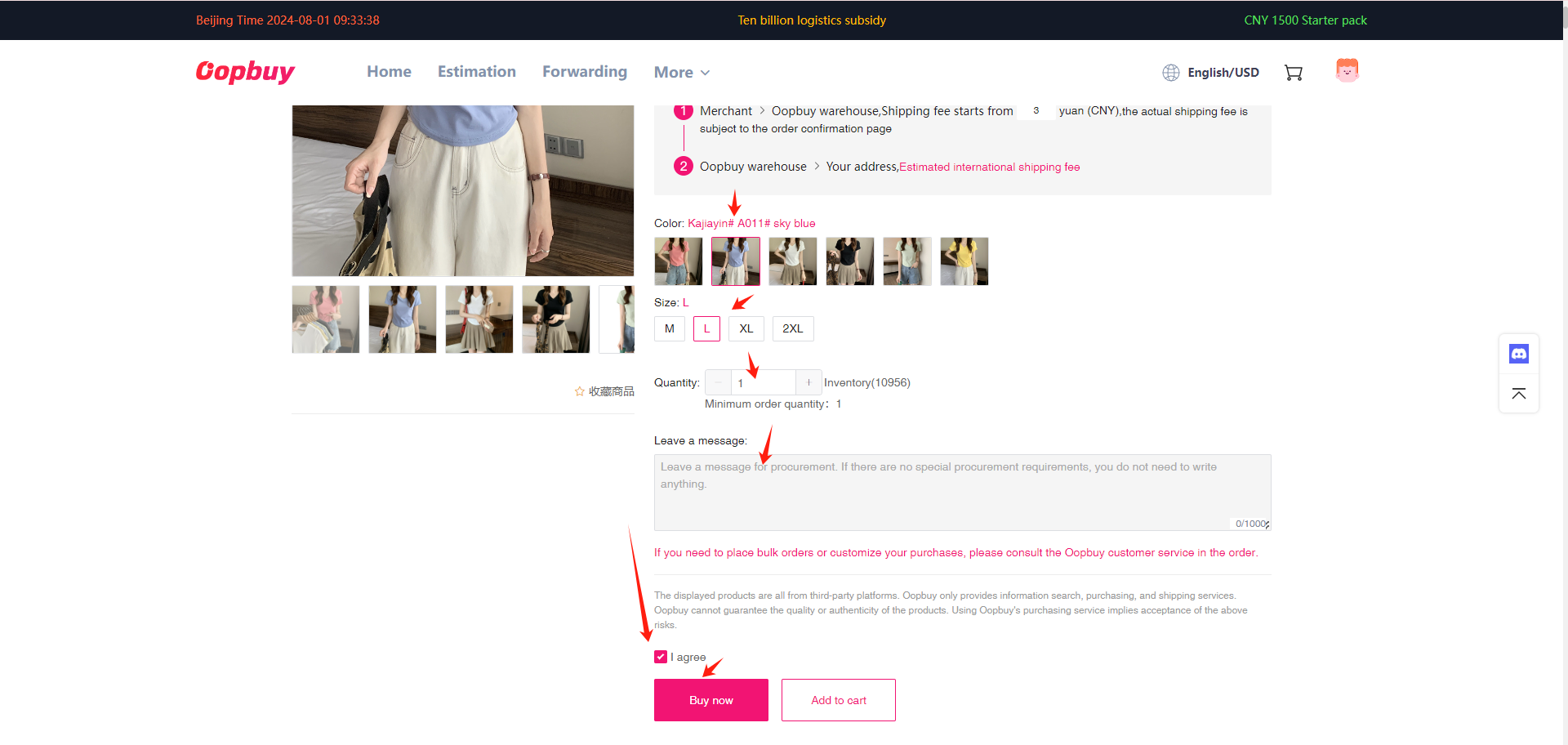
Select the exact variant
Choose the size, colour, quantity and any other option deliberately. Compare garment measurements with an item you own, or shoe measurements with the seller’s size chart. Save the chosen variant and price so the later warehouse photos have a clear reference.
Review the item checkout
Check goods cost, domestic freight, quantity and order remarks before confirming. Identify any funding charge or currency conversion separately. This first payment buys the goods and their domestic journey; it is not the complete cost of international delivery.
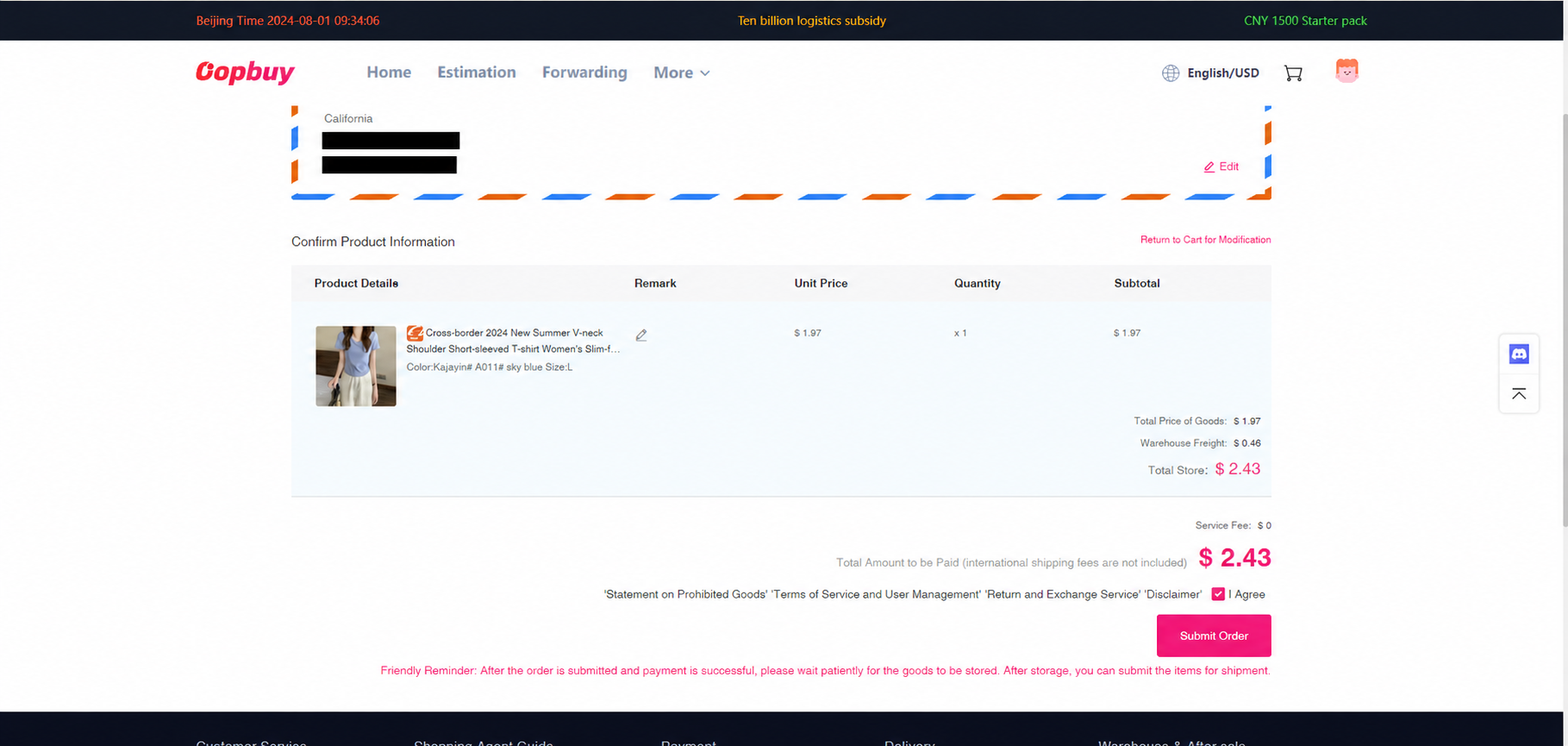
Follow the purchase order
After funding, inspect the purchase status. Waiting for the buyer, seller dispatch and warehouse receipt are different stages. If stock is unavailable or a variant changes, resolve it in the order conversation rather than assuming the original image still describes what will arrive.
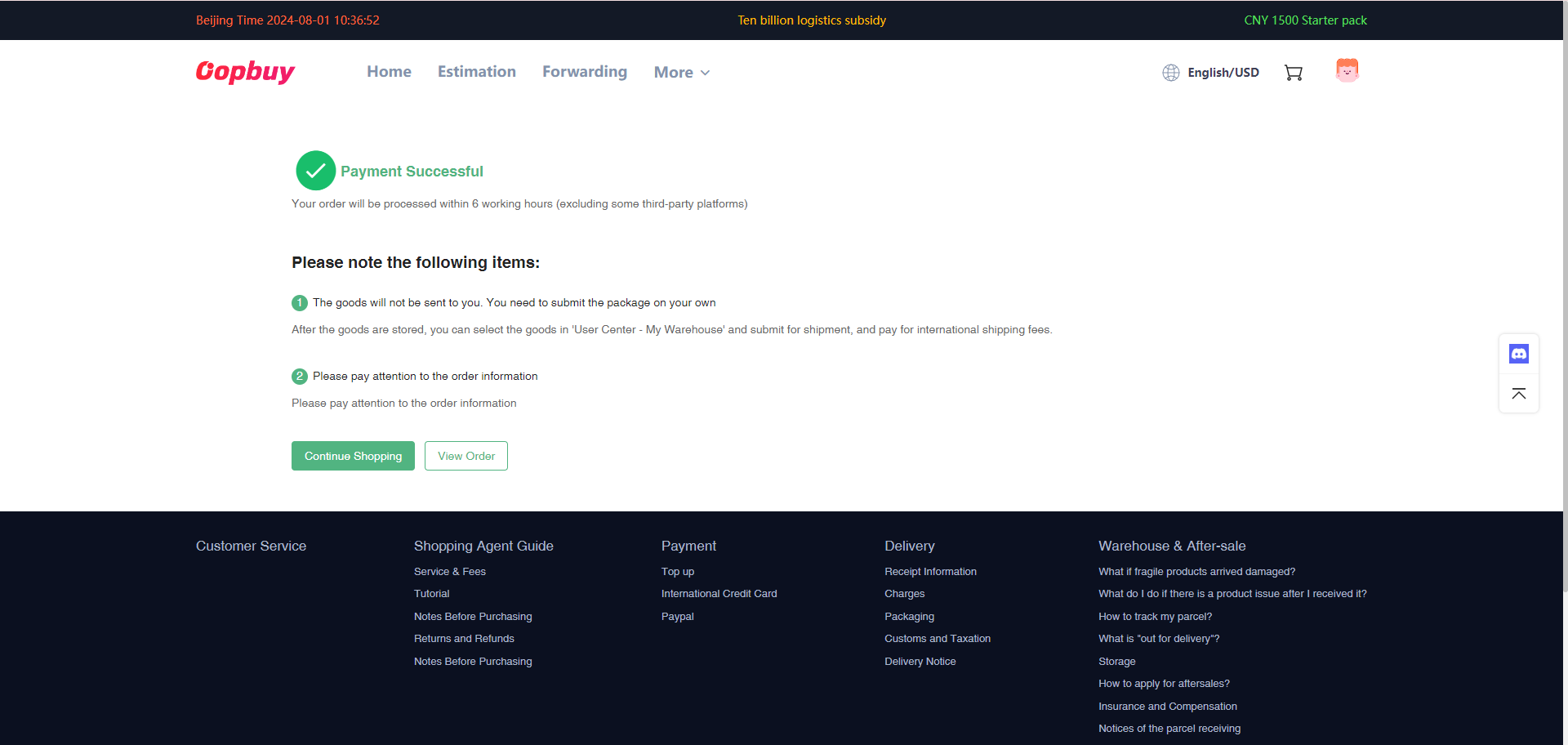
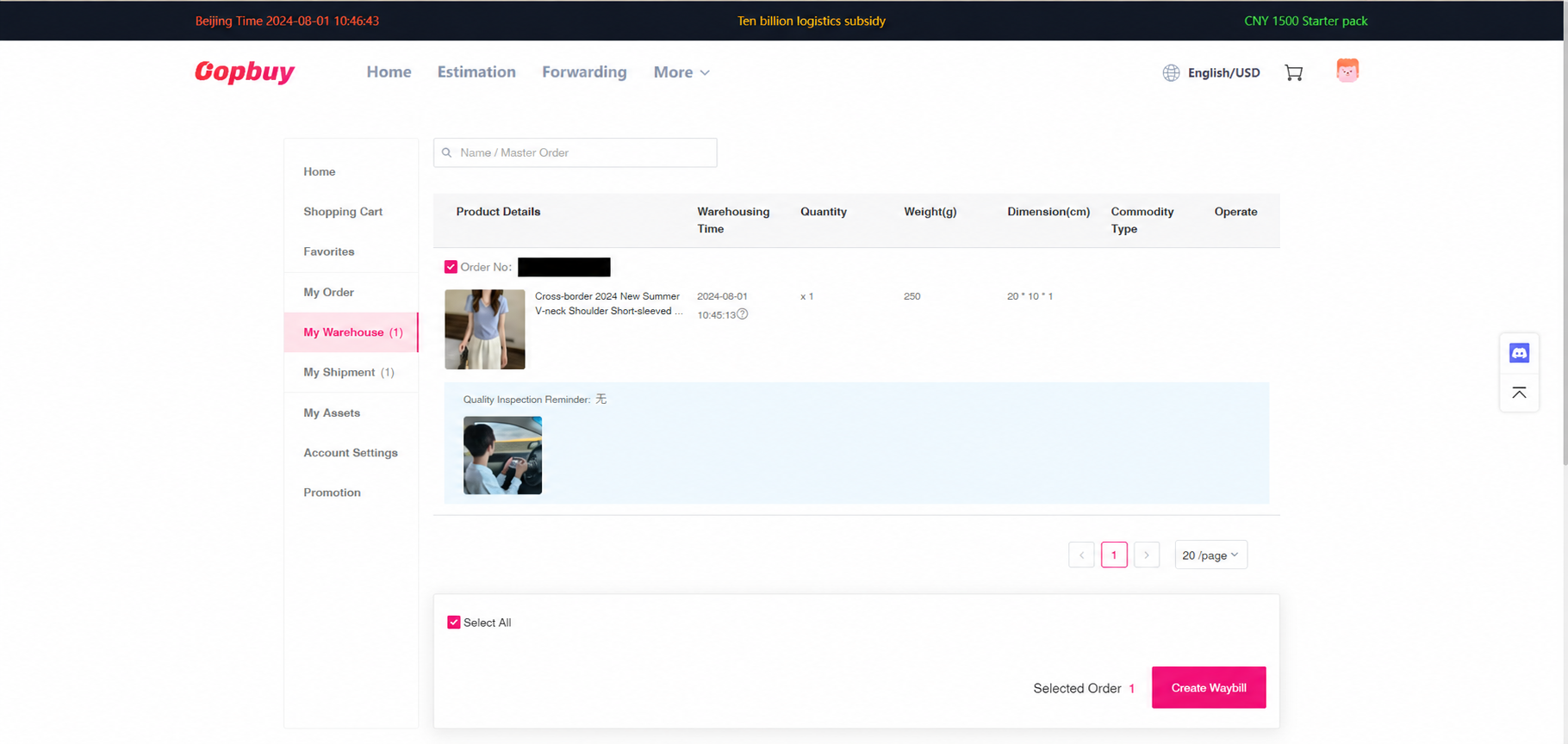
Review the warehouse before creating a parcel
Open the arrived item and its QC photographs. Check quantity, colour, visible labels and damage. Request the precise missing view or measurement while a return remains possible. Storage time and seller return eligibility are separate clocks; the arrival of another item does not pause either.
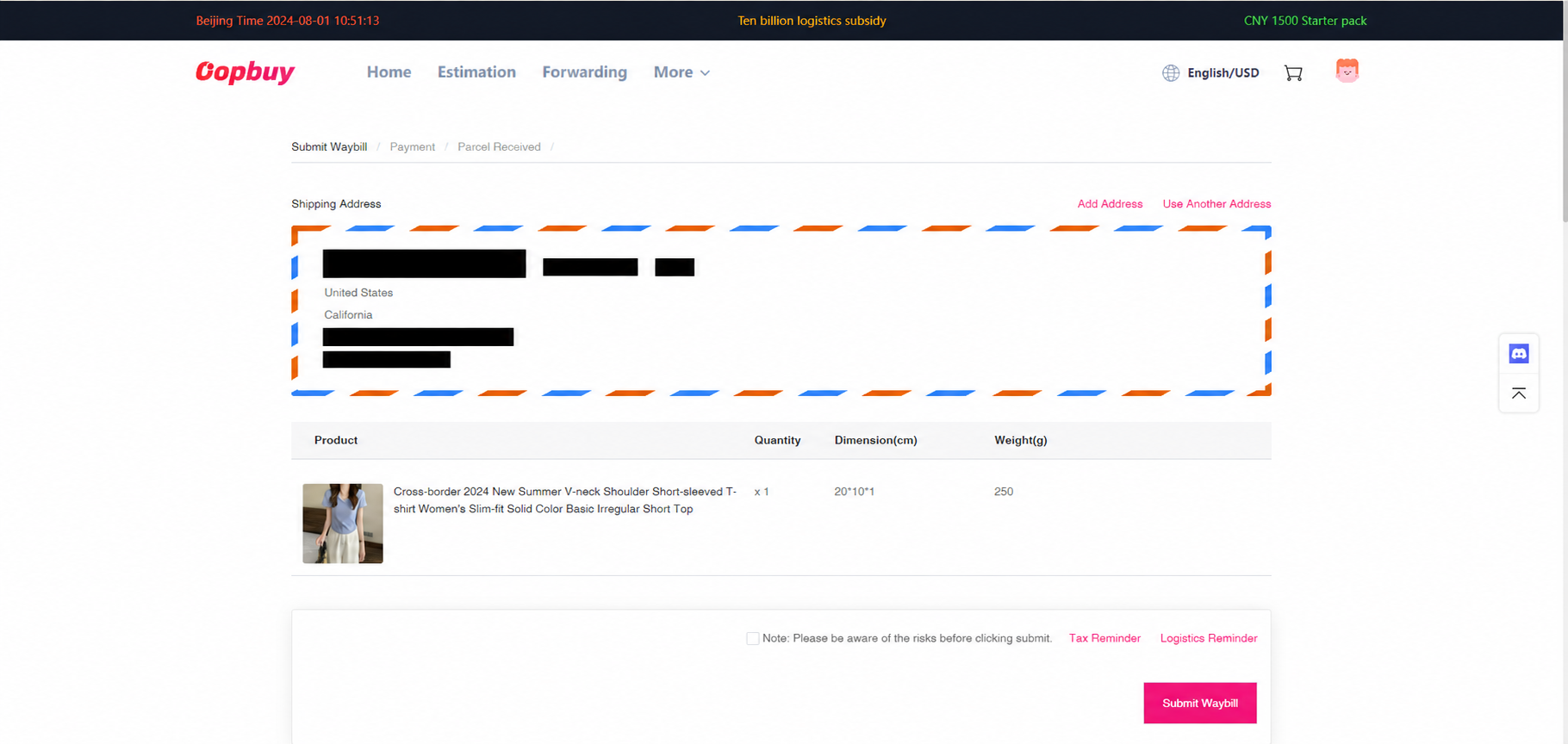
Prepare the waybill
The official step includes three views: recipient and goods, packing/protection, then the payment review. Confirm the address and contents before choosing a line. Removing boxes can change both protection and return eligibility. Compare chargeable weight, restrictions and service conditions, not just a headline price.
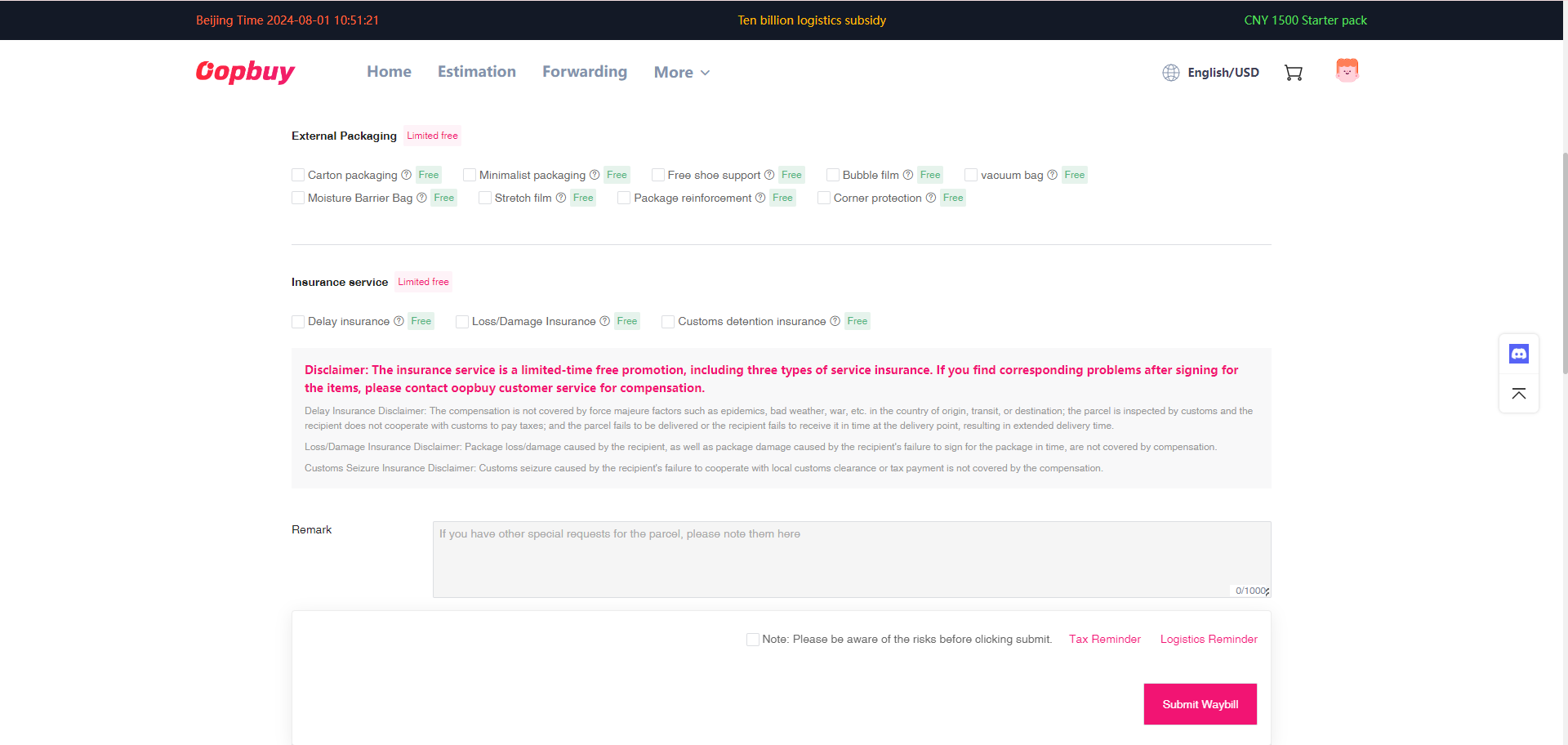
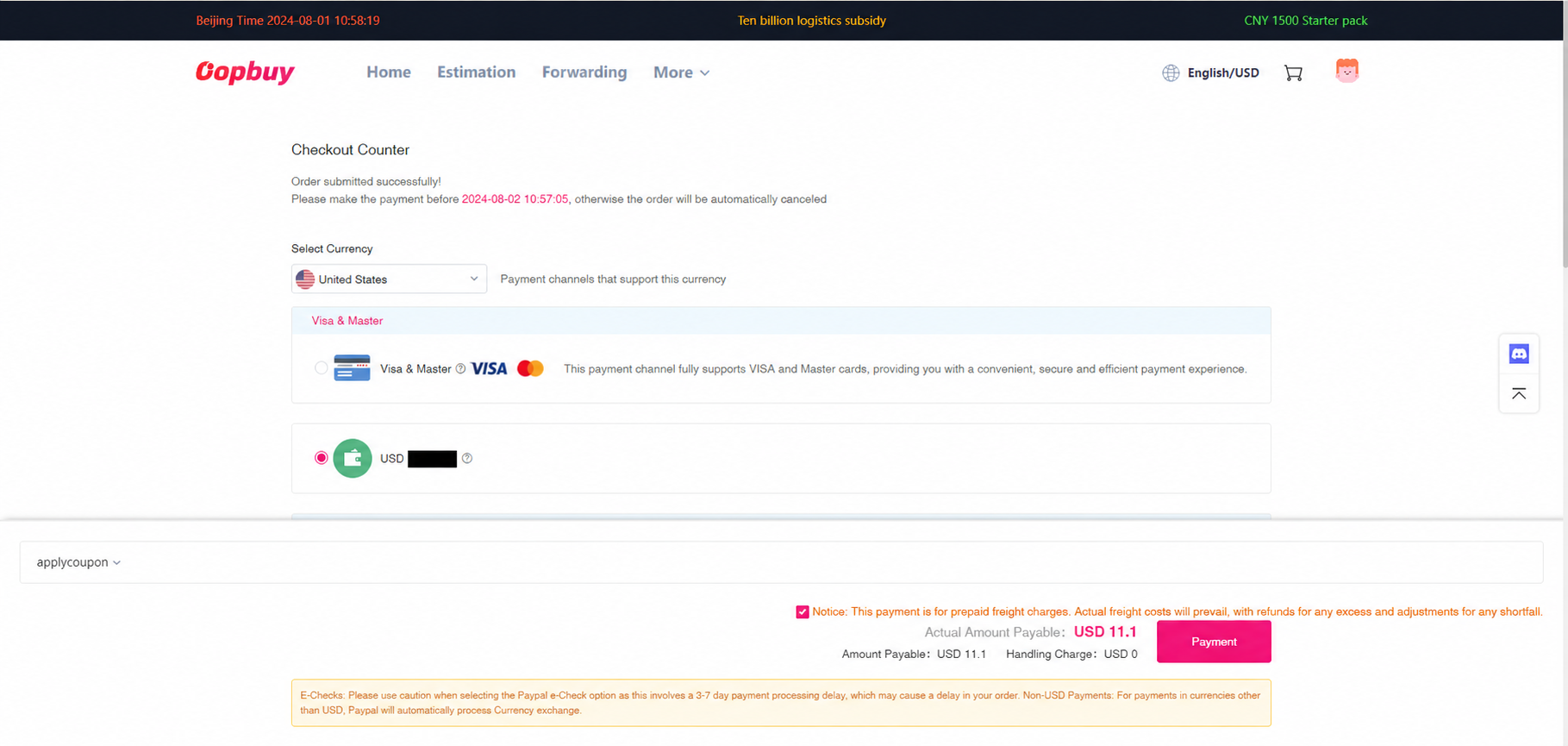
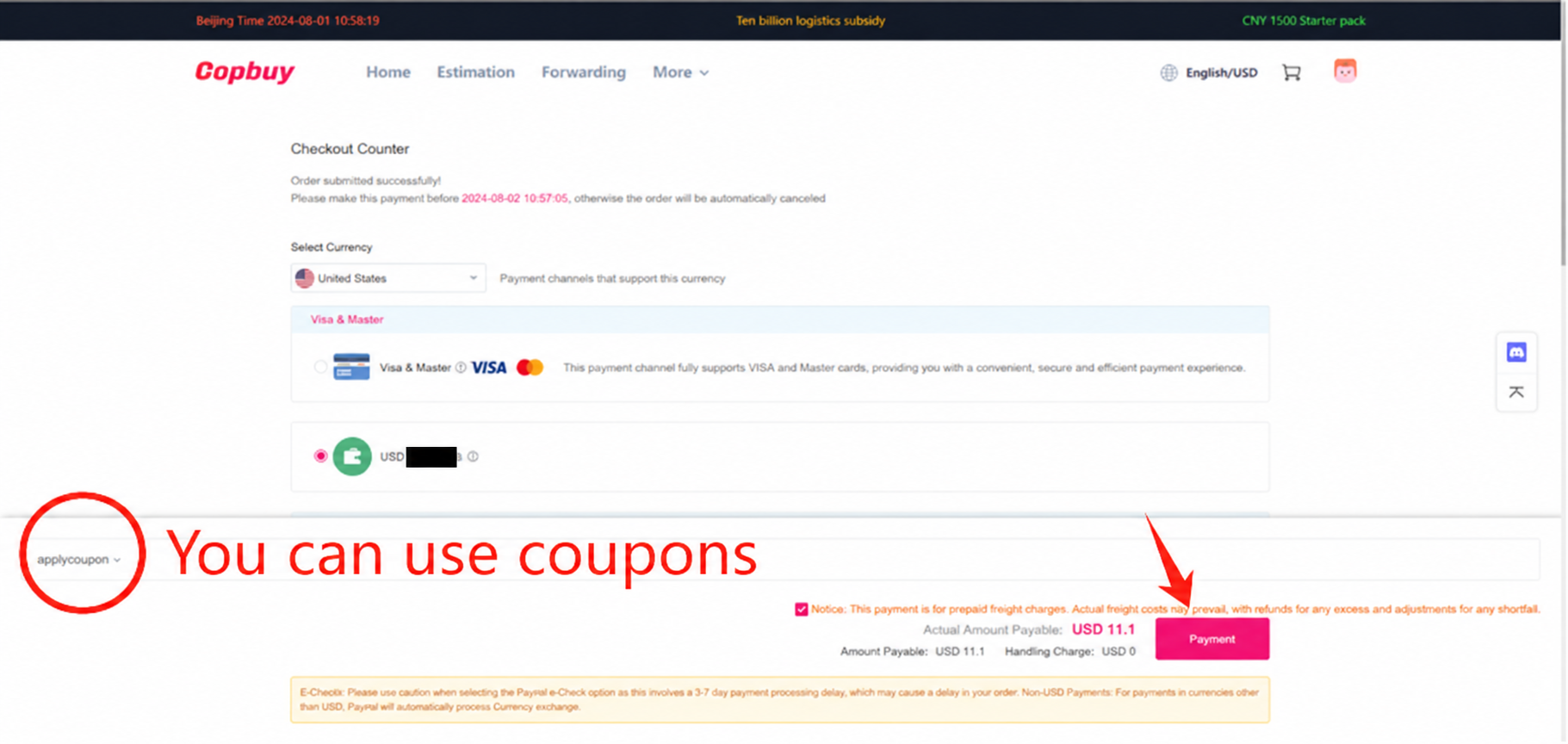
Pay the estimated international freight
Review the selected route, estimate, optional services and eligible coupon. Keep the freight record separate from the item purchase. The estimate may change after the parcel is physically packed; the tutorial currency and figures do not quote a shipment to your address.
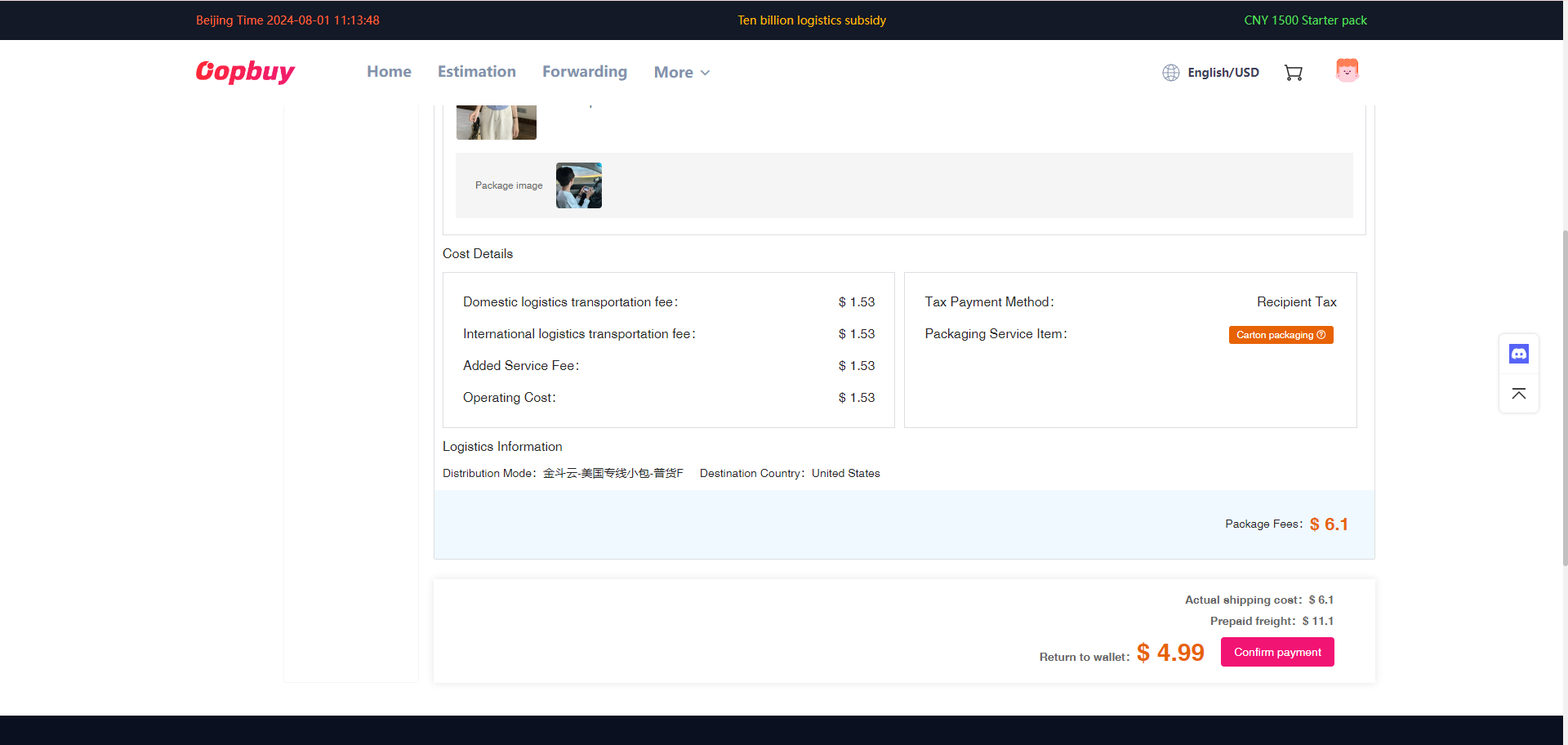
Reconcile the packed parcel
Once actual measurements are available, compare dimensions, weight, route and extras with the estimate. Inspect any adjustment or account refund before making a further payment. The final charge can depend on volumetric weight and rounding as well as the scale reading.
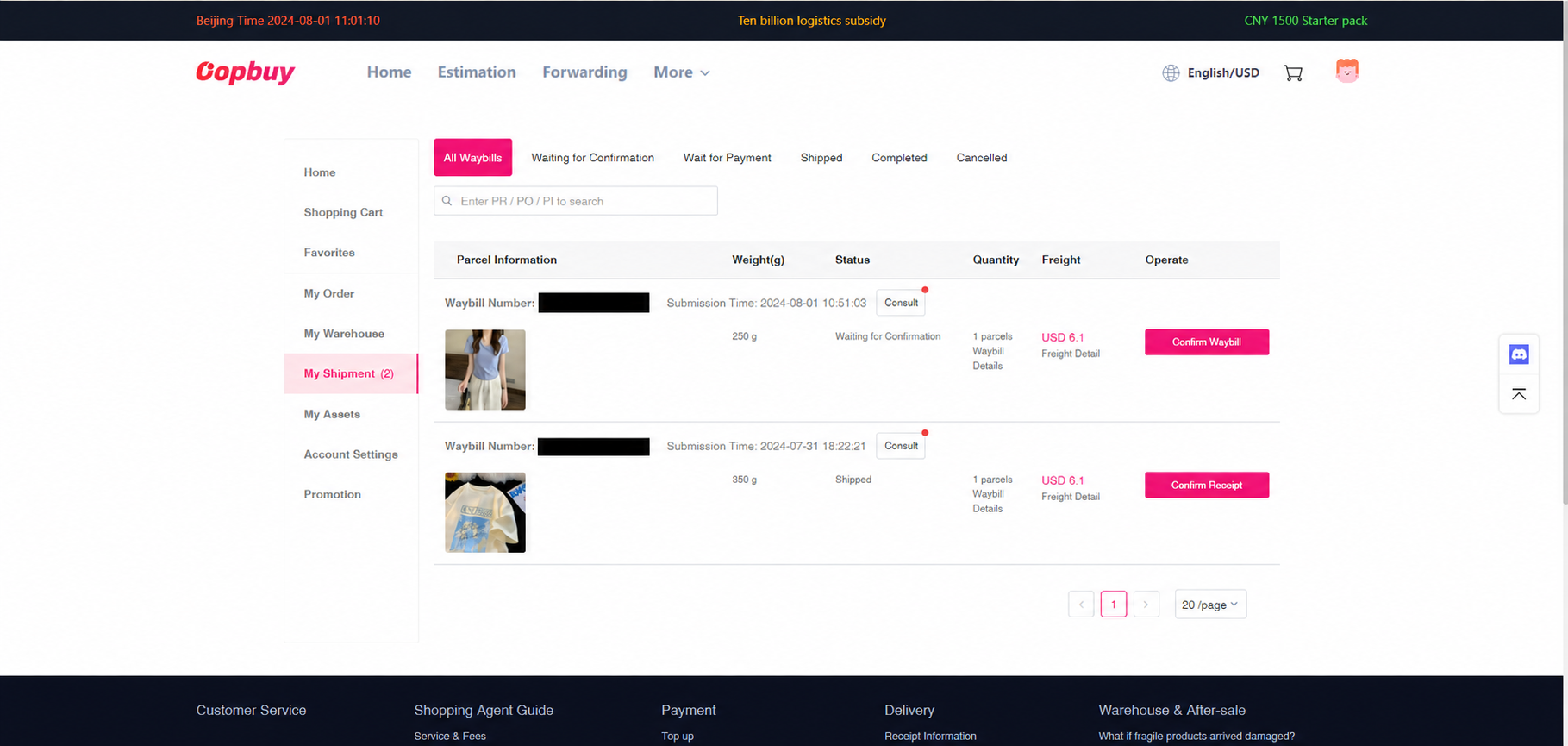
Track and check delivery
Read the carrier’s event history: a label can be created before pickup. When the parcel arrives, retain its labels and packing while checking the contents. Report missing or damaged goods promptly through the parcel support channel with relevant evidence and the applicable claim conditions.
Keep the records that answer the next question
A seller issue needs the listing, exact variant and warehouse evidence. A transport issue needs the selected line, packing record and carrier scans. Keep the two payments and their adjustments separately so you can explain which charge or item needs attention.
Complete cost guide · QC and return decisions · Help and common questions